



Trying out hooking up Blender MCP to Claude
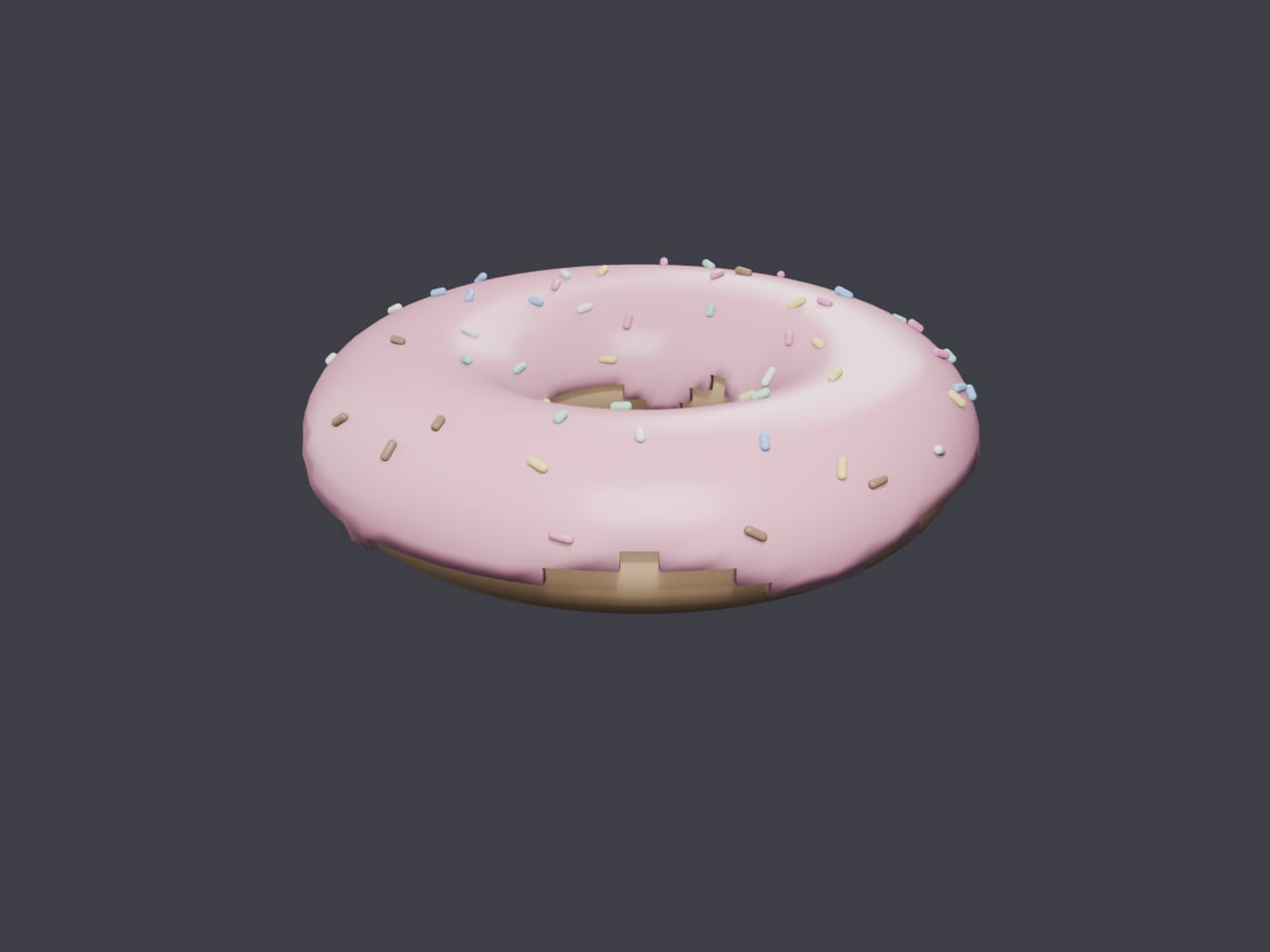
Lately I wanted to try Blender’s MCP connector with Claude. If you haven’t heard of MCP (Model Context Protocol), it’s essentially a standard way to let an AI assistant like Claude talk to and control other applications, in this case, Blender.
The idea is pretty wild when you think about it: instead of manually clicking around Blender’s UI to model, position, and texture objects, you can just describe what you want in plain English and let Claude drive the actual application through the MCP server.
Here’s a quick video on it:
I’m curious to dig in more and see how far this can go for actual 3D work versus just being a neat demo.
Requirements:
Steps to set it up:
- Install Blender.
- Install the Blender MCP server.
- Install Claude.
- Connect the Blender MCP server to Claude so it shows up as an available tool.
- Open a scene in Blender and start prompting Claude to create, move, or texture objects.
The prompt I used was: “In blender can you make a strawberry donut with rounded sprinkles. Zoom out so its in view - no other object should be present”
It works alright here and there, but the real value for me is using plain language to tweak settings easily in Blender. Blender’s UI is massive, so doing things like “mirror these vertices across the x axis,” “xray this,” or setting up reference images has been the most useful part.
One gotcha: after turning on the MCP server, I really had to ensure Claude was NOT running. I exited the process via Task Manager. Blender and Claude both said everything was connected and running fine, but until I fully restarted/exited Claude it kept timing out. A full restart is what actually got it working.