



ZoomIt brings Zoom's drawing tool to your whole screen
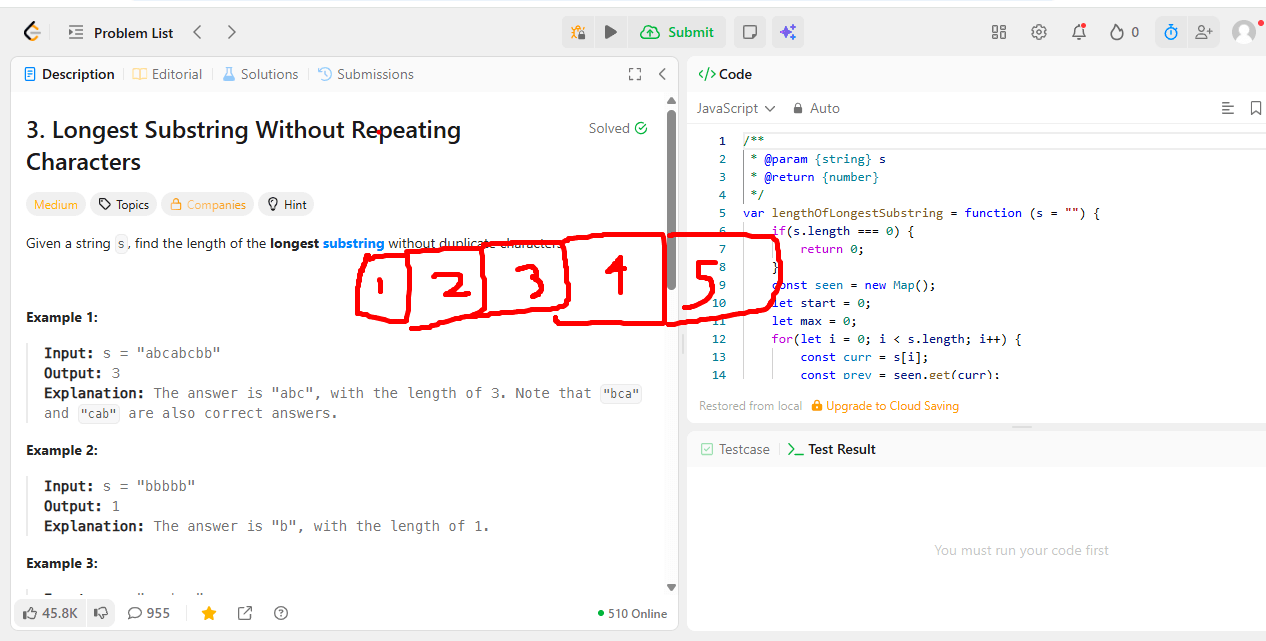
I’ve always loved Zoom’s drawing/annotate feature when screen sharing. Being able to circle something, underline a line of code, or draw an arrow while explaining it out loud just makes communication so much clearer than pointing with a cursor.
The thing is, I only get that feature inside an actual Zoom call. I kept wishing I could pull up the same kind of drawing tool anywhere on my screen, not just during a screen share. This comes up a lot when I’m doing LeetCode problems and want to circle a variable, cross out a branch, or draw arrows tracing through an algorithm while I think.
Turns out Microsoft already solved this years ago with ZoomIt, part of the Sysinternals suite. It lets you zoom into any part of your screen and draw directly on top of it with keyboard shortcuts, no screen share required.
A few things I like about it:
- Works completely with keyboard shortcuts, so it doesn’t get in the way of whatever you’re doing.
- Super lightweight, just a single small executable.
- Zoom and draw anywhere on the desktop, not tied to any specific app.
Definitely adding this to my toolbox for talking through LeetCode solutions and just generally annotating things on screen.