



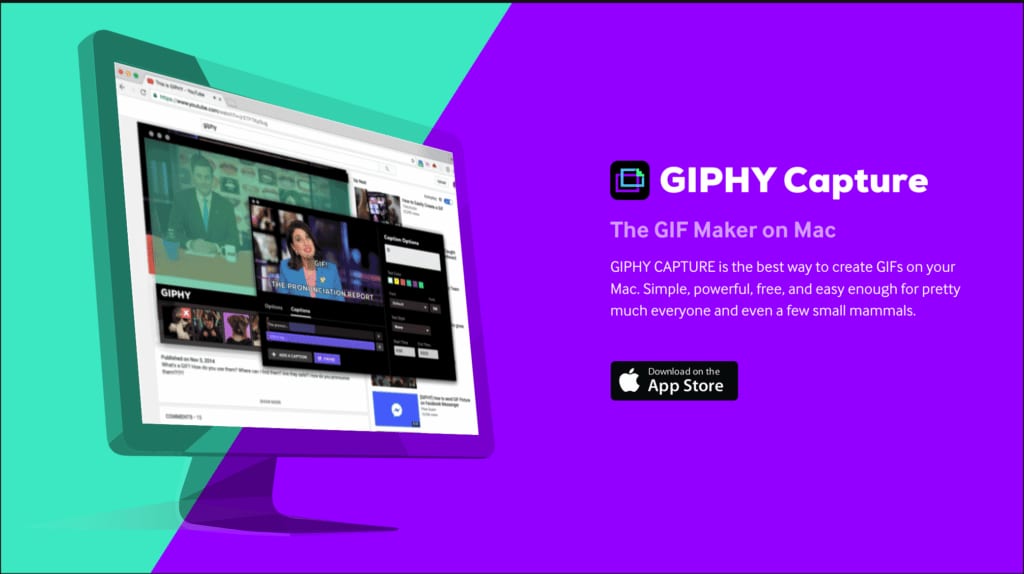
If you’re looking for a great screen recording software that is free and easy to use on a mac, giphy.com’s screen recorder is a great option. It’s completely free to use, and it has a ton of great features.
Just head to giphy.com and download giphy capture. Then, select the area of your screen that you want to record. You can also choose to record your entire screen or just a portion of it. The giphy.com recorder also lets you choose whether or not to include audio in your recording. If you choose to include audio, you can either record your own voice with a microphone or use the system audio. This is great if you want to record a video tutorial or walkthrough.
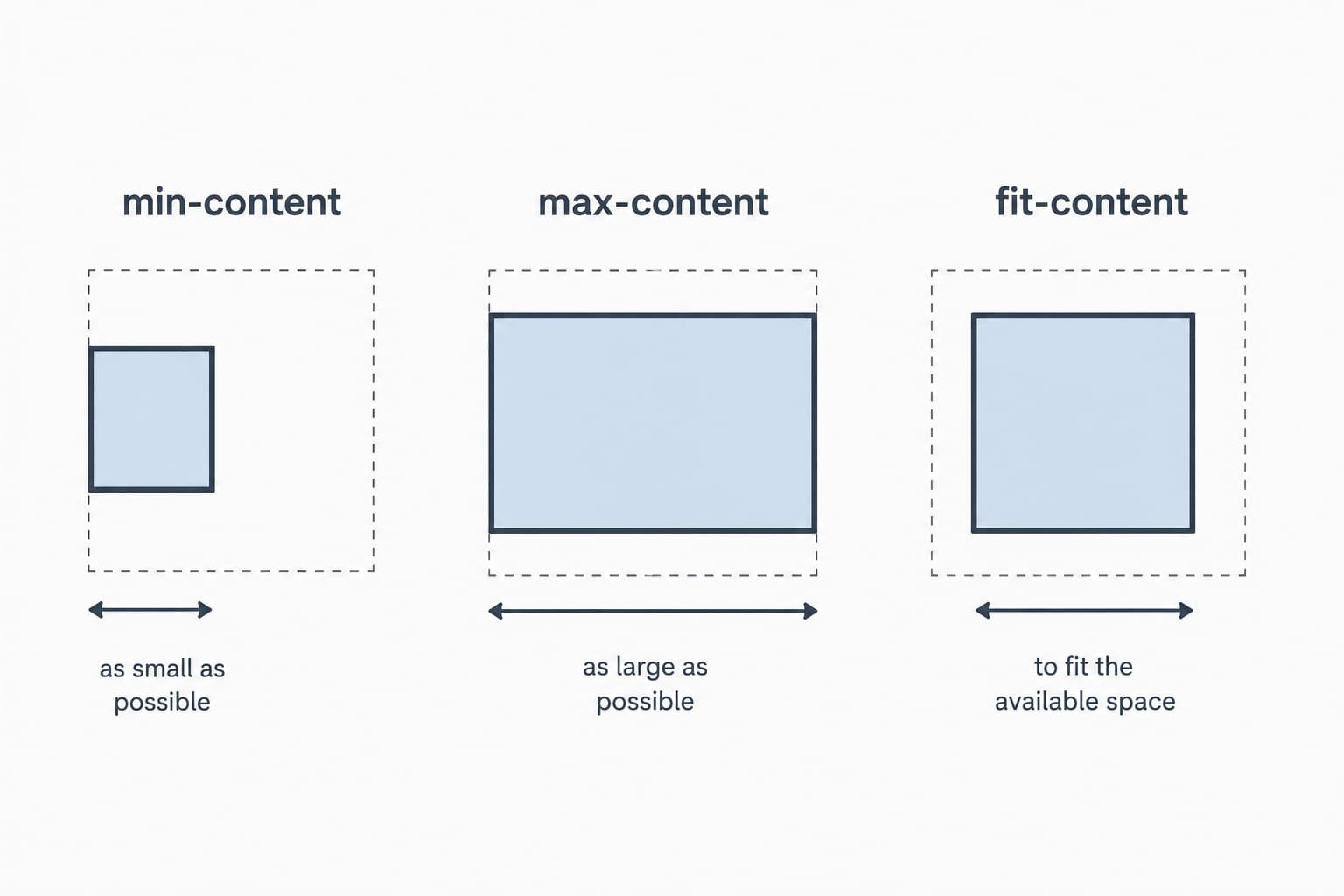
Came across this fantastic video by this fantastic YouTuber. Just wanted to share it as I felt it really did a great job demonstrating the value in knowing these width properties.
For even more information check out their respective mdn entries:
Or Watch it on youtube here: 3 useful CSS values that most people don’t know about
I help run a bi-weekly algorithm coding guild at work where we solve many programming problems together. It’s a very fun and rewarding experience and I get exposed to many different programming languages. Sometimes, when I “shift gears” between languages, I mix up the prototype methods in javascript.
The one I recently flubbed was shift() and unshift(), which seems silly but when you’re moving fast its an honest mistake to make!
Let’s review their MDN entries
Array.prototype.shift()
Array.prototype.unshift()
How I always remember the difference:
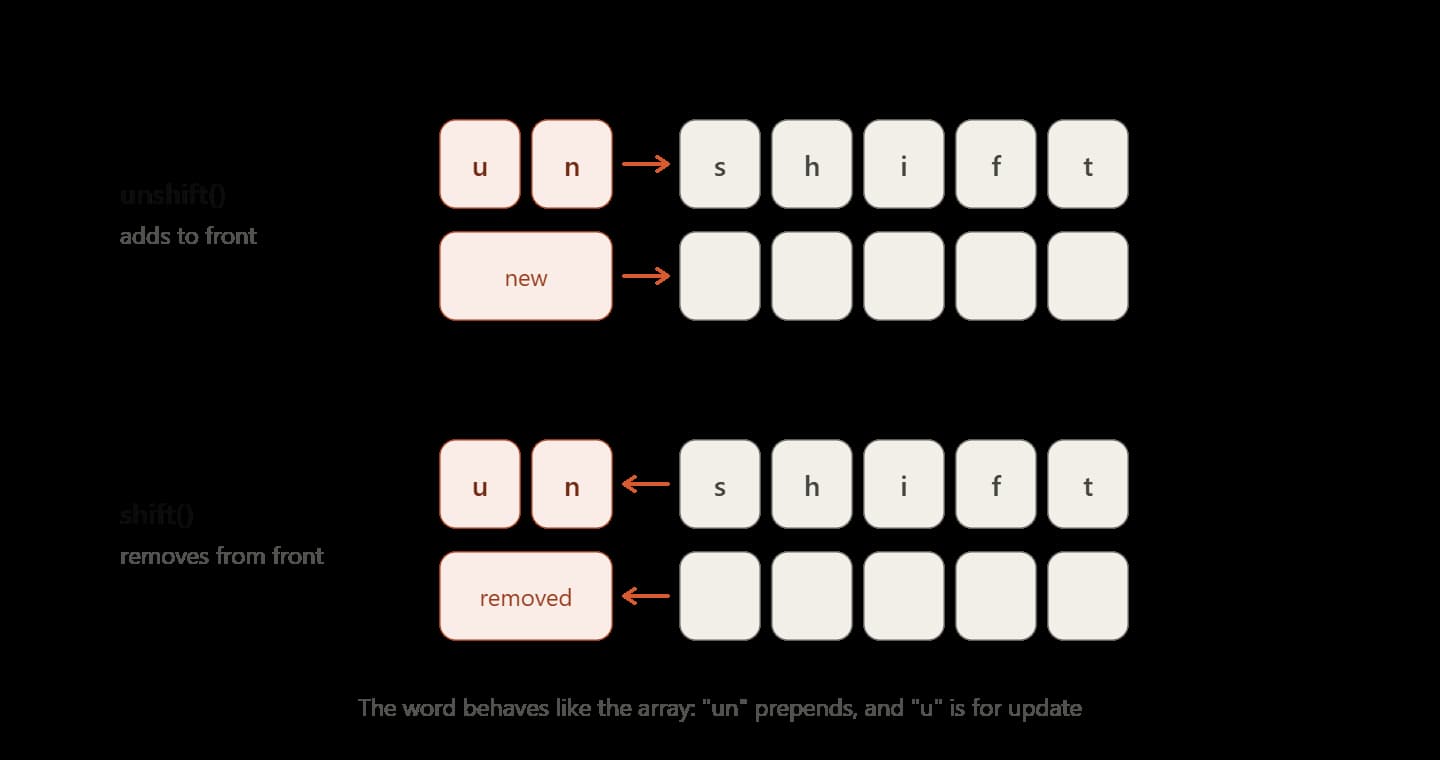
If we literally break up the words into letters (similar to split() lol) you might notice something:
["u","n","s","h","i","f","t"]
// vs
["s","h","i","f","t"]
The way I see it, unshift is “updating” our array above, “shift” with two additional characters in the front (“u” and “n”). In my mind I also remember this by matching up the “u” of update and “u” of unshift. Shift on the other hand complements this as its missing the “u.” In fact this is even how unshift() works! It prepends characters to the front of the array.
Hope this little trick helps you! Remember we update (think “u”) with unshift… with two characters in the front of the word shift > unshift.

See the Pen Bouncing DVD JS logo by Andy Sciro (@spssciro) on CodePen.
Hopefully you know about this bouncing DVD logo screensaver, my mind goes right to watching it in class or seeing it on a bus. Either way over the years its almost become a meme, there’s something just so satisfying about when it hits the corner lol.
Watch it here: Happiness comes from the simple things
(Yes I know the video above is fake, but still thought it really captures the feeling)
With that said, I tried to make it in pixi.js in an afternoon. It surprisingly wasn’t too hard when we utilize pixi.js’s tint api. Essentially though all we need to do is when the logo hits the “wall” just randomly generate a new tint.
If you want to learn more about the tint api you can read more about it here in the docs:
https://scottmcdonnell.github.io/pixi-examples/index.html?s=demos&f=tinting.js&title=Tinting
As always because its on codepen.io so feel free to fork it! You can view the source here, if you want you can replace the logo (it’s a base64 encoded string), because I’m too cheap for codepen premium!!
Watch: How Steve Wozniak Brought Color to Personal Computers
Here is a fascinating talk by the famous Steve Wozniak that resonated with me. The key takeaway here is his point about where and WHEN he is the most creative. Wozniak goes onto explain that’s how he came up with the idea of color display for the mac.
“When you’re without sleep, and when you’re going to sleep your inner head goes briefly into this period of really…creativity kind of thinking. It’s not restricted to the normal thoughts of life, and the day. When you’re waking up your head’s a little like that too, well my head was kind of in this floating half-asleep state and out.”
TLDR; When you’re sleep deprived and working hard on a project, when you drift off to sleep that’s the time you may be the MOST creative. Pretty cool.


A few days ago I was trying to make the Javascript logo in photoshop to put onto a blog post banner but couldn’t quite get the font for the logo right. I was playing guessing games with sans-serif fonts but then finally googled it to learn more.

Long story short the font appears to be made by House Industries, its called “NEUTRA TEXT BOLD FONT”
View the font on House Industries
However, throughout my little journey to figure this out I found out some interesting facts about the logo. It was actually kinda cool to see how it came into the community’s possession.
1. It’s a community logo released at JSConf (with love).
So apparently this logo was released in 2011 at JSConf2011, but was used for almost a year and a half prior by the community. The logo lives in Github user voodootikigod’s repo and the community has since contributed various versions, media formats, and tweaks to it.
2. You can use it for anything
On the logo’s Github it states, “We are releasing this under a MIT license so you can print it on anything, use it anywhere, and never have to worry about royalties, licenses, and other such things. So yeah use it for anything! View license here.
3. The font is available here.
In the Logo’s Github pull request history you can see Pull request #5 where there is an HTML/CSS version being created. The discussion on that PR has users trying to identify the font, with that said it’s revealed that the font is “Neutra Text Bold.”
4. My little test… Yes that’s the font for sure 🙂
So I loaded up the font in photoshop alongside the famous Javascript logo and Yep that’s it! Check it out, perfect!

It’s incredible to think that the LANDMARK Javascript release es6 was over 6 years ago (See the official release here)! Javascript and its community have learned a lot since that time, one point of criticism was how HUGE the es6 release was and how difficult it was to learn EVERYTHING. With that said, ES2021 adds a nice digestible set of awesome features coming to your browser soon 🙂 Here are my favorite things being added!
1. String.prototype.replaceAll()
I think this is a really slick feature, hopefully you think the same. Have you ever had to replace some characters in javascript with String.prototype.replace() only to find you had to have a global flag with a regex? Well not anymore, because now with String.prototype.replaceAll(), it’s very straightforward and much more readable.
Let’s go see its MDN entry:
The
String.prototype.replaceAll()method returns a new string with all matches of apatternreplaced by areplacement. Thepatterncan be a string or aRegExp, and thereplacementcan be a string or a function to be called for each match. — MDN
const str = 'Every dog has its dog day.';
console.log(str.replaceAll('dog', 'cat'));
// "Every cat has its cat day."2. Numeric separators
Maybe I think this is cooler than it really is but I think this feature speaks for itself. I used to make a few Javascript games here and there and I feel this would have really helped me back then with some of the values I stored. I do feel though that the hex stuff I will start using today. Overall it’s SOOO much easier to read, I love it.
const budget = 1_000_000_000;
const hex = 0xA0_B0_C0;3. Logical OR assignment operators
This is a slick feature and to understand why it’s so cool is to compare it to the other ways of doing this. Granted ES6 brought us default parameters in functions which I feel this would be a good candidate for (MDN here) using it, but this still has a lot of value in general day-to-day usage of Javascript.
const config = {};
config.timeout ||= 5000;
// config.timeout is now 5000
Also if you like this feature, check out the logical and operator (MDN here).
4. Promise.any()
This is an interesting feature for sure, so what’s a good use case for this? Borrowing from the MDN we get a good idea here…
“This method is useful for returning the first promise that fulfills. It short-circuits/stops after a promise fulfills, so it does not wait for the other promises to complete once it finds one. Unlike
Promise.all(), which returns an array of fulfillment values, we only get one fulfillment value (assuming at least one promise fulfills.”
What’s a good example of using Promise.any()?
In the weekly SPS UI-guild we actually discussed this new feature (BTW always looking for new members, message Chris N about it!). One cool idea that fellow UI-guild member Ken Korth thought of was …
“…you were trying to get an accurate time from a time server and you were trying many time servers, when the first one came back, you could use any because the rest would be canceled…”
Or Imagine we are hitting an API endpoint and what comes back is relatively large/slow like a large MSTR sales report whose data changes infrequently. We could have a cached API and the live data API BOTH go out and whichever API comes back first is displayed to the user. Cool right?
What’s the difference between Promise.race() and this?
There is a very important KEY difference between the two, basically, Promise.any() vs Promise.race come down to how they handle failing Promises.
- Promise.any() – Brings back the first promise, and only one result. Shows failure when all promises fail.
- Promise.race() – Brings back the first promise that succeeds or fails.
const promises = [fetchFromServerA(), fetchFromServerB(), fetchFromServerC()];

Promise.any(promises)
  .then((first) => console.log('First to resolve:', first))
  .catch((error) => console.log('All promises rejected:', error));
And there are even more features coming in the release, notably weakrefs (MDN here). Check out the v8 release notes here for even more info.
Hopefully, you can start to use these features in your daily workflow, and before you know it we’ll have es2022 features. Happy coding!
When I was a kid I received a basic hobby microscope as a birthday present. I think I spent a whole summer where I would look at anything I could get my hands on. Pond water? Sure let’s check it out. A splinter? Yes. How about sand? Yes I did that too, and while it sounds boring sand is actually pretty interesting under the microscope.
Watch: A Grain of Sand - By Dr. Gary Greenberg - Sandgrains.com
With that said the movement of pond water really left an impression on me. Everything was kinda moving around, alive, a whole world that I never knew was so active (especially because I thought of ponds as stinky and stagnant). It turns out what I was so intrigued with as a child was something called Brownian motion. Here’s a vid about it:
Watch: Random Force & Brownian Motion - Sixty Symbols
A bit more about it (taken from Wikipedia). This motion is named after the botanist Robert Brown, who first described the phenomenon in 1827, while looking through a microscope at pollen of the plant Clarkia pulchella immersed in water.
A quick and dirty recreation of Browian movement in Javascript
Long story short I had some fun playing with the incredible PixiJs and trying to recreate Brownian motion. I consider this a “bar napkin doodle” but the effect is pretty convincing.
Check out the live demo on CodePen: Brownian motion (PixiJS) by Andy Sciro (@spssciro)
The key take away here is just randomizing the x and y values for each tick. The line to really watch is simply this:
X = (Math.random() > 0.5 ? 1 : -1) * Math.random() * amp;And voila, we get the right wiggle!

“Azure data studio has solved my MSSQL problems on my mac period. I can work alongside my pc counterparts without swapping to VM”
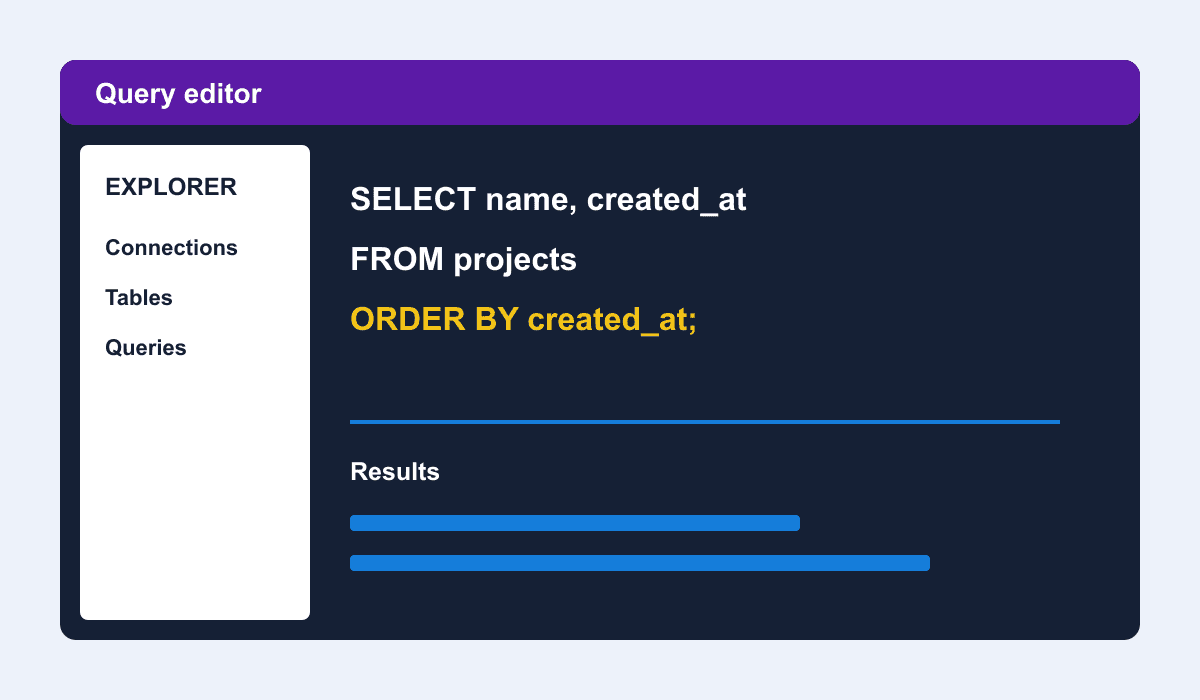
A coworker recommended I try it after I was bouncing between DataGrip and DBeaver. I’m glad I did. Azure Data Studio is a cross-platform database tool for data professionals using on-premises and cloud data platforms on Windows, macOS, and Linux. I’m assuming it’s also another electron app just like VSCode, and it just feels right. It also comes with the amazing plugin/extension browser and as it matures I’m sure we’ll see it used by more and more developers.